You get a single team handling cybersecurity, IT, and data integration services like EDI, filling the gaps in your team.

“Corsica is a one-stop shop for us. If I have a problem, I can go to my vCIO or a number of people, and you take care of it. That’s an investment in mutual success.”
– Greg Sopcak | Southern Michigan Bank & Trust
From 24/7 SOC services to MDR/SIEM, penetration testing and training, we’ve got you covered.
Get the expert support you need for your network, on-premises devices, VoiP, M365, Google Workplace, and everything in between.
Full support of compliance frameworks, including CJIS, HIPAA, CMMC, NIST, SOC 2, and more
Cut through the hype with smart strategies and right-fit AI solutions for your organization.
Take strategic steps with confidence as you collaborate with our expert business and vCIO consultants.
Get cloud security, integration, server virtualization, and optimization strategies to reduce your cloud costs.
Connect any data source to any other with robust solutions and managed services.
Stay ahead of the curve, eliminate waste, and grow revenue with next-generation technologies.
Expert consulting, implementation, integration, managed services, and cybersecurity for Microsoft products.
One program. One partner. Complete AI transformation.
It takes dedicated experience to use technology strategically in your industry. That’s why we specialize in certain verticals while offering comprehensive technology services.
From webinars and video tutorials to guides and blogs, we’ve got resources to help you and your team address any technology challenge.
Is your old phone system holding you back? Give your employees and customers the effortless calling they deserve with a managed VoIP solution.

Older phone systems often struggle to keep up. You know the drill:


Say goodbye to expensive hardware and upgrades that break the bank. Modern VoIP solutions like calling in Microsoft Teams are more scalable, affordable, and flexible than older VoIP systems or traditional phone technology. You get:
Managed VoIP services are outsourced services in which an MSP (managed service provider) handles everything related to a customer’s VoIP system.
VoIP (voice over internet protocol) is a next-generation managed phone service technology that transmits phone calls over the internet rather than using traditional telephone infrastructure. VoIP solves some of the challenges associated with older technology, providing greater flexibility and reliability—plus user-friendly features.
VoIP is the leading choice when a company replaces an aging phone system. The technology has evolved by leaps and bounds, and the market now offers incredible flexibility and feature sets.
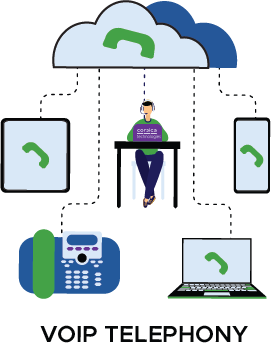
Legacy business phone technology often requires a significant investment in onsite PBX (private branch exchange) hardware. This equipment facilitates in-network dialing directly to an extension. Typically, it also handles routing calls into and out of the organization’s phone network.
PBX hardware, installation, and maintenance are incredibly expensive. In contrast, VoIP systems are cheaper—both in setup and maintenance—because they reuse existing network hardware, sending and receiving phone data side-by-side with internet data over infrastructure that you’re already using.
With traditional phone technology, conference calling is complicated—and expensive. You have to have special hardware that can bridge multiple calls together, and there’s always some kind of technical difficulty that delays the meeting.
VoIP, on the other hand, is “conference native.” The technology supports bridging multiple calls by default—with no reliability issues other than the quality of the internet connection.
Traditional phone technology makes it hard to add more lines, whether temporarily or permanently. You’ll need someone to run physical cabling, you’ll have to lease more lines, and you’ll have to buy more hardware.
With a managed VoIP system, adding new lines is much simpler and cheaper since everything is virtualized. Your managed service provider simply configures your VoIP solution to add new lines and connects those new phones. Now you’re ready to bring on those new team members—or meet that spike in seasonal demand.
If you’re a local business interacting with clients in another state, VoIP gives you the option to have an area code that matches the area code of those clients.
This can help reinforce your relationship and the perception that clients have of you. This is especially helpful if you’re a virtual business that’s targeting specific locations or regions.
VoIP calls are crisp and clear with high-definition audio. They sound less like traditional phone calls and more like high-quality audio in a video call.
This directly translates into a better communication experience. Your employees, customers, and business partners all benefit from seamless communication.
VoIP solutions typically include features like voicemail transcription, which turns a spoken voicemail into an email message, and forwarding, which allows you to pass a voicemail on to a colleague with a few clicks. This is far simpler than interacting with voicemail in a traditional business phone system.
Since a VoIP number isn’t tied to a physical line, it’s ideal for today’s remote-first workforce. This also makes it easy to move desk phones around as needed in a physical office—either within the office, or between offices, if you’re relocating or have several branches.
This is especially true for team members who travel frequently or remote employees. A VoIP application on a mobile phone allows your team member to answer their work phone from their personal mobile device—while traveling anywhere with a reliable internet connection. The best part? There’s no need for a VPN connection to take that call on your mobile.
Even the simplest VoIP systems need support and maintenance. If your IT team has their hands full with day-to-day activities, then managed VoIP services are the answer. You get a team of experts maintaining, supporting, and updating your system–so your team can focus on your core business.
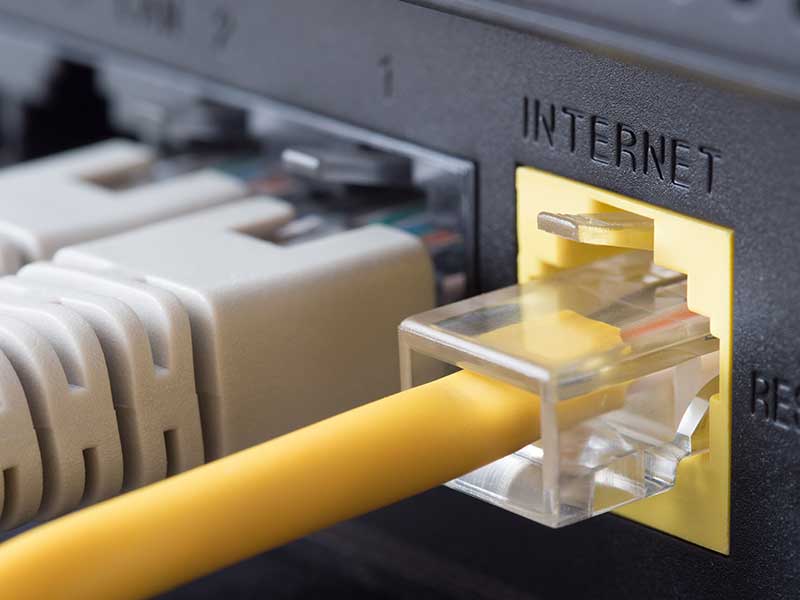
Since VoIP depends on your internet connectivity, your team will have the best VoIP experience if your network is optimized. If your corporate internet connection is spotty or unreliable, it’s worth addressing that connectivity problem either before your VoIP implementation, or as part of the same project. Not only will this improve your VoIP functionality—it will make your team more productive and less frustrated as they perform essential work.

Like any system, a VoIP solution does require maintenance. If you have the resources, you may be able to hire an internal team to manage your VoIP system. However, in most cases, that isn’t feasible—or even necessary. It’s rare for a VoIP system to require full-time internal resources. Most companies find the best value in hiring a VoIP managed services provider (like Corsica Technologies) who handles systems for multiple clients. You’ll get even more cost savings if you launch VoIP as part of a managed IT services package.

Switching from old-fashioned phones to VoIP is a form of digital transformation. Any time you’re modernizing your business, you want to help your team make the transition. That means involving team members early in the process, fielding feedback, and adjusting the plan accordingly.
After launch, you’ll want to provide the necessary training and support so everyone can hit the ground running. This is an often-overlooked component in a VoIP rollout, and a managed service provider can help you get this right.
In the event that your office goes down, you lose Internet, you have the ability to still dial out, receive calls, and transact business until, you know, connectivity is restored. While also, having deep analytics into Yep. What's going on in my calls, understanding who's saying what and what's resonating with people. Correct. Wow. That's pretty awesome. That's pretty awesome. Welcome to Unraveling IT: Expert Tech Talks. My name is Nate Troyer. I'm an account executive with Corsica Technologies. I'm here today with Garrett Wiesenberg. Garrett, what's your role here at Corsica Technologies? I'm the VP of Solution Consulting. Great. Today, we're discussing, a pretty interesting topic with the advent of cloud-based, solutions. I'm actually pretty excited to speak with you today about VoIP, voice over IP with cloud solutions. So let's just start with the basics. For the folks not familiar, what exactly is Microsoft Teams VoIP calling, and how does it differ from, like, the older, traditional phone systems? Well, so Microsoft Teams is a cloud-based calling solution that, you know, has been around for quite a few years now and has really begun to sort of pick up traction in many businesses that are already heavily leveraging the Microsoft platform. It's a natural sort of integration to the existing, you know, M365 email, Microsoft Teams, collaboration. Mhmm. It just expands on that into to calling. And it differs from some of the solutions of the past by, number one, the fact that it's a cloud-based solution. Solutions, you know, the days long gone were on prem, at times difficult to manage. They didn't necessarily come with some of the features. What are some of what are some of the pain points of some of those? I mean so, I mean, not to take anything away from those systems. I mean, they're they're premium systems, but what were some of the pain points of, you know, like, Cisco UC, like, gold standard. Yep. What what were some of the pain points there that that Teams is looking to essentially, remedy? Yeah. So if we're specifically looking at Cisco CallManager UC, you know, it was a a high entry cost. Right? You have to buy your own hardware. You have to run your own software. Mhmm. You have to bring analog phone lines into your facility or, you know, SIP or or PRI, whatever it may be, into your facility and pay for all of these different subscription fees as well as the physical hardware, handsets, everything at everyone's desk. So with that would come pretty high overhead in terms from a a management perspective. Mhmm. Because you're not only managing, you know, license renewals and contracts, but you're also managing hardware life cycles. And there's just a lot of points within the architecture that that could fail or that could cause more catastrophic failures. You know, most of the on prem providers of of days long gone like Cisco, ShoreTel, NEC have all kind of come out with their own cloud based, SaaS based type solutions. Like, Cisco has moved to Webex Calling, which is their, you know, not only collaboration platform, but also their their calling platform. Similar to what Microsoft Teams based chat is to Microsoft Teams calling. They have their own, you know, flavor of it. And that's kind of what we've seen in the industry. That's the trend is that more and more often, clients are coming to Corsica and just asking, you know, what can we do? We have this outdated, antiquated phone system that worked and kind of works, but we're really looking to see what exists today. How do we modernize, you know, our our calling? You know, what are we what are we missing out on by, you know, staying on prem? Do you see that maybe some of these solutions were adopted for their feature sets that probably aren't now actually being utilized? Like, they they looked great on paper, but then after the implementation, you know, ten years ago, they were never really utilized to their fullest extent. So they weren't getting the return on investment they thought they were gonna get. Is that is that sometimes part of the equation too? I'd say because I- I'm thinking about, like, reporting. Right? Like Yeah. I would say it's probably part of the conversation or the equation as, you know, you kinda put it, but I don't I'm not sure that it's the primary driver. What do you think is the primary driver? So I think it's just phone systems or one of those items that it- it's a pain to transition away from. Right? I mean, it's a- it's a- everybody knows it's a huge pain to move your phone system from one provider to another because Yeah. The phone system is the lifeblood of of the organization. Mhmm. So there's there's not only cost to moving it, but there's also, you know, I'll say soft cost from a, you know, we have to retrain all of our employees. We have to Right. You know, not lose any business. Calls need to continue coming in, and everybody needs to be ready to go day one. And so phone systems in general aren't something that get replaced, you know, every three to five years. Like, you would typically see with maybe, you know, server equipment, networking equipment, or or other, you know, IT components like computers and things. Okay. Phone systems typically stay in place for very long periods of time, and companies, as long as they're happy with the performance, aren't necessarily looking to replace that phone system. So oftentimes, what I- I see is that an organization is happy with their phone system, but they also don't know what exists today. And there's a, an architectural difference and feature disparity between what you could do on premise and what you can do in a SaaS based solution. It comes down to a lack of of not knowing what exists and what what's out there. And and for everybody for everybody, that's that's watching, what does SaaS mean? Software as a service. So someone else is hosting whatever application you may you may have. And I think that's a kind of a great segue into the idea that a lot of people are already using Teams Mhmm. For calling and collaboration. What's the difference between the, the Teams that they're using and Teams calling? Like, what's the difference there in the, in the team Teams phone system? Realistically, not much. So the Teams chat interface that people are, are used to day in and day out or, or leveraging already is the exact same interface you're going to use to make calls. If you're looking at the Teams chat, you know, interface, there's a a call section on the left hand side. Everybody's probably familiar with that. If you don't leverage Teams calling today, that functionality on the left-hand side, for the most part, is only going to exist for, for internal calls and things of that nature. All you do when you implement Teams calling is enable the ability to dial out and, and receive calls from, you know, external sources. No. I mean, that seems all very straightforward, but, you know, what should the businesses keep in mind before jumping into Teams VoIP? Like, are there any early hurdles or setup steps or anything like that that that you need to contemplate or plan out first before you, you end up doing this? Well, I think with any deployment of any, you know, technological solution, there's always the budgeting aspect. With any SaaS based solution, right, so somebody else is hosting it, you're paying a subscription fee to access those Mhmm. You know, services. It changes the way that you have to budget, you know, CapEx versus OpEx. So if you're, you know, okay with buying your own hardware and spending a lot of money upfront, capitalizing it over, you know, a, a given period of time, this is gonna be a completely different model, and you need to understand the costs that are going to be associated. There will be costs to also implement this solution because from whatever provider you're with today, you have to migrate to Microsoft Teams. Meaning, you need to take your pool of numbers. Right? Your, your primary phone line or anybody's direct phone number, you need to take those numbers from whomever owns them or is hosting them today and migrate them over to Microsoft. So there there's a, there's a project involved with getting this up and running. It's not just something you go apply a license, flip a switch, and you're off to the races. Can licensing also trip people up? It can. There's a lot of different ways to leverage, the team's calling functionality. Microsoft can provide your dial tone, and they have a few different license types based on your needs and desires, specifically. You know, think of the cell phone plans of old. Do you wanna pay for your minutes? My desire would be not to pay a thing for it. I, I know. You know? I don't think they have that plan. You, you can pay for the minutes upfront. So you could say, you know, I'm gonna use two thousand minutes this, this month, pay for that upfront, and that's, you know, your, your budget. Additionally, they have, packages that include a set number of minutes that allow you to call domestically. Mhmm. And then they'll have a different package that allows you to call internationally. Oh, okay. So it's just, it depends on the use case and how you intend to leverage the system. But you can also leverage a third-party provider to, to really supply the dial tone. And so, you know, it, it depends on the use case scenario. Well, it seems very flexible. It's very flexible, and it can fit almost any circumstance and- and need or business outcome. Okay. It just depends on what your requirements are and what you're trying to get out of the system. What hiccups do you do you normally see when someone tries to go through this implementation? Like, they, they take on the responsibility of doing all these pieces. A lack of understanding or planning is essentially just a, a way to quickly fail and have this go off the rails very quickly. There's a reason organizations don't typically migrate their their phone systems often because of the complexity involved and because of the potential risk of something going wrong. I mean, if you think about it, think of, you know, hospital, migrating from, you know, Cisco on prem to Microsoft Teams calling, for instance. Mhmm. If anything happens during that migration and they all of a sudden can't receive calls, patient care, potential, you know, deaths could arise. I mean, it could be very Impactful Yeah. And material and, and the, you know, devastation of, of losing these this functionality. Whereas, you know, maybe an office, right, a, a standard office like, you know, the Corsica office, for instance, it wouldn't be as impactful, but it's still if we can't receive calls from our clients, that's gonna be a big issue. We can't support them. With that being said, with, with the complexity that can come up in this and, and the need to be kinda excellent in the execution, where, where does Corsica fit into, you know, adopting, like, Teams phone systems? Corsica can fit in almost anywhere in the process. We can step in in the planning stages where we are discussing, you know, what is your system today? What are the requirements for a new system? And, you know, what's it going to cost or what is the cost going to look like. We can come in during the execution phase where we're helping, you know, an organization to migrate, you know, phone numbers, set up new call routing, schemas, and and things of that nature. We can also come in from a support perspective where, you know, day to day support of the system and management of the system, you know, we can partner alongside an organization or, or help from that perspective. I think one of the questions I was thinking of earlier today was how do you secure, or how would Corsica secure, you know, a, a phone system that doesn't exist on prem. Right? And, and I think, in just talking with you before, before the episode, I think one of the immediate things we pointed out was, like, you know, how are these companies securing their current phone system? Because it's on prem, and that tends to be intrinsically, less safe Yep. Than the cloud. So yeah. I mean, walk me through how a company like ours would, would secure a, a Teams VoIP solution. Well, I think, you know, to, to some extent, the question implies that we have to implement security to the system, but with Microsoft, the security is already there. So Microsoft already is the, you know, largest identity provider. So the the calling system is going to leverage ENTRE Mhmm. And MFA for access. It's going to make sure that calls are encrypted whether through certificates or, you know Oh, yeah. And, like, what devices can even call. Yeah. Exactly. There, there are Teams-certified devices that have to meet certain criteria in order to even join the systems. Microsoft is, is handling 100% of the security on their end, and they are heavily incentivized to ensuring that compromises and breaches do not occur. Because if there is a breach, you know, there's potential that many customers are impacted across the entire globe. But also, that's a huge loss of trust for them, and organizations may, you know, go somewhere else that at that point with their their calling solutions. So if I'm a if I'm a VP at an organization, say, in the C Suite or whatever, what experience can I expect? You know, moving from like I said, Cisco UC, gold standard. Right? I moved from this $750,000 solution that I bought ten years ago that's been rock solid, but that I've paid a lot of soft cost for too. You know, I have to have a guy on, on my staff that knows or at least, you know, be in a support contract with somebody who knows how to fix it if it breaks Yep. And knows how to reconfigure it if I have any organizational changes. Like, what experience can I expect on a day to day basis when I go to use Teams over, you know, my former system? Yeah. So your your former system, you you probably had Jabber. Right? If we're talking Cisco specifically, there would have been some sort of communication type platform, whether texting, calling, simplification, maybe Webex depending on what iteration you were on with Yeah. We we actually as a corp as a company had Jabber and Webex. Yep. So depending on where you were at, it depends on, you know, what your experience was today. But the way it's going to differ primarily is the ease of of calling. Mhmm. Right? So, great example is, you know, every morning when I'm driving to work, I'm usually on a call with with someone. Second I sit down at my desk, I'm able to transfer that call from my personal cell phone to the computer. And it's a seamless transfer. Right? Because I'm moving directly from my personal cell phone with the Teams app installed there. Yeah. I would actually like to know how they do that because that's actually that's pretty cool. I know. That's pretty cool. Just add this device. Yeah. You can either add call and broadcast. You can transfer it to that device. Yeah. And so, really, the the benefits or the experience is, you know, if you're used to Microsoft Teams from a chat perspective Uh-huh. This just adds another layer on top of it that is the exact same sort of interface functionality. I mean, we call internal employees. Like, I call you every day. You call me what? Well, I call you from Teams. Oh, okay. And it's it's that same experience, except now instead of it only being allowed internally, you're taking it externally. So, you know, if you're used to Teams, the experience is not going to be much different. If you're used to a different phone system, I mean, the the biggest thing that I discuss with clients is the need for handsets. You know, it's it's funny because typically, you know, like, we we all don't have handsets. There's not a single handset in the Corsica office. That's true. Yeah. We all use the cell phone, or the application on our computer or on our personal cell phones. A lot of organizations still want that physical handset that they have to pick up and that they can talk on and that they need to, you know That tactile, like tactile feedback. And that's fine. They make devices for that, but Teams is really designed to kind of begin to get away from that. Right? It's leveraging the application itself. And if you look at these phones, all they are is a piece of equipment with a screen that is running the Teams application on it. Teams is just software. Yeah. It's just software running on that hardware. Yep. So it's like a small little computer that happens to have a microphone and a speaker. Yep. And there are some use cases where, you know, maybe it makes sense more than than others. Maybe a receptionist, for instance, you know, maybe it makes a little bit more sense. But there's even software applications that can give receptionist the, sort of full functionality of, you know, the the receptionist phone days of old, right, with all those sidecars attached. Yeah. Yeah. You hit a button, and it can transfer to that person quickly. There's there's pieces of software that can make that experience for the receptionist similar and even more feature rich than what they've they've had in the past. Okay. So so for organizations that have, the need, maybe they have multigenerational staff. Right? And and who are very used to doing it in a certain way. They can have a handset. They can have that tactile feedback. Meanwhile, you know, people that are born in in the nineties who are used to touch screens for everything Yep. They don't need one. So you can cut down on the cost Yep. Of your system by removing the need for for a lot of handsets. Yeah. You remove the need for a lot of handsets, and there may still need to be hardware involved. So, you know, a great example is faxing. Mhmm. Right? That's that's a question that you can comes up during, you know, these migrations as well as what do we do about our faxing? Well, if you're paying for analog lines coming into your current facility, you could continue to pay for those lines. And there's a piece of equipment that will convert the analog signal to a digital signal and connect it to Microsoft Teams. So there's a way forward if you need There's a way forward for that, or you can migrate to an eFaxing solution, which is often what we, you know, try and, you know, recommend or or help understand. Like email but for faxing? Yeah. Exactly. Email but with faxing. Okay. And so there's options even from from that perspective. What about and we're probably going down a rabbit hole. But, you know, since since there's a lot of manufacturing where we're at in the in the Midwest, is there, you know, any any support for when you need to have, like, a speaker out in the Paging? Paging. Yeah, paging. I don't often I don't often, page. But, anyway, yeah, is there an option for that too? There is. There's options to integrate the existing systems you may already have depending on the age of that system because, again, paging is also something that typically doesn't get replaced often. So Mhmm. What we found is, especially with manufacturers, they've got an older paging system depending on make, model, age, things of that nature. Use it in hospitals. Yeah. We may not be able to, you know, integrate it. And if we can't, you know, we can help you go through options for ways around it or ways to implement new solutions. It all seems very flexible. Like, you get It's a very flexible system that can integrate into almost any ecosystem. And and and a great example is, you know, Teams calling five years ago, we probably would not have recommended for call centers because there just was not a a lot of in-depth reporting available at the time inherent within Teams. So to get around that, we we had some workarounds and things we could have done in the past. But today, for instance, there is a plethora of of options when it comes to advanced feature sets and capabilities. And a great example is, you know, our our own service desk. We have we we have our own call center. Yep. We leverage Microsoft Teams calling now. Mhmm. And we leverage Microsoft Dynamics on top of Teams calling to give us the analytics that we need. And and certain examples would be, we can measure sentiment live as a call is occurring. So client calls in. They're talking to one of our service desk team members. If the client starts getting frustrated for whatever reason, you know, it's going to send up an, an alert to the service desk manager saying, hey. We have a call. Something may be going on. You should probably take a look. The manager can sit in on that call then and and make sure things are going smoothly. They can help. They can jump in and and help. But also from a reporting perspective, we can report on absolutely any metric you could ever imagine because of the depth of Teams integrating with Dynamics. And so it's this entire ecosystem that just works so well together that Microsoft has built. And, you know, again, for organizations that are already leveraging a lot of the Microsoft features and functionality, I I cannot stress how beneficial Teams calling can be or, you know, where you could even go with it because the the options are are almost limitless. So if I'm in the c suite again, I'm gonna have a better experience because I might have a mobile VoIP application. Basically, I can make calls wherever I am. And it's take calls wherever I am. Not dependent upon your physical office location. Meaning, in the event that your office goes down, you lose Internet, tornado comes through and wipes it out Mhmm. You have the ability to still dial out, receive calls, and transact business day in and day out until, you know, connectivity is restored. Also, while having deep analytics into Yep. You know, what's going on in my calls Correct. Understanding who's saying what and what's resonating with people. Correct. Wow. That's pretty awesome. That's pretty awesome. Well, Garrett, thank you so much for being a part of this episode. My name is Nate Troyer again, account executive. Garrett, what's that long title of yours? VP solution consulting. You heard it here, folks. It's great to be here, Nate.
Absolutely! VoIP offers a lower cost of entry and, typically, a lower cost per call than traditional telephone technology. Whether you’re a small business, midmarket, or enterprise, VoIP offers tons of benefits that you can’t get any other way.
Yes! A business VoIP solution comes with real phone numbers. The difference lies in how the call is handled from a technological perspective.
The only notable disadvantage is the fact that VoIP depends on your network connection. If you have unreliable internet at your organization, that will impact your VoIP experience. However, if that’s the case, you probably have bigger issues related to connectivity and productivity. Solving those issues will also eliminate the (potential) disadvantage of VoIP.
Yes, as long as the VoIP service provider supports SMS or MMS.
Like any internet-connected system, a VoIP solution comes with potential cybersecurity vulnerabilities that must be mitigated. This is one of the strongest reasons to use a VoIP managed services provider who also handles cybersecurity—like Corsica Technologies. Our experts ensure that your VoIP system is secure and up to date, so you can leverage the benefits of VoIP with minimal security risk.
Potentially! On a mobile device, you’ll need to install the relevant VoIP app and log in with the appropriate credentials. Likewise, on a desktop device, you’ll need to install the proper software and log in. Once you’ve done that, you can make and receive calls on that device. It’s incredibly flexible.
Contact us today to see how Corsica’s Managed VoIP Services can solve your challenges.
We’ll respond within 1 business day, or you can grab time on our calendar.